

Our @Free_AI_Tool_Bot recommends tools and links for the task you want to finish. The actual editing happens in the tool you choose. This guide shows the bot’s welcome menu and a background-removal search in our public directory.
1. Open the bot and send /start
Open our @Free_AI_Tool_Bot and press Start. In our October 12 test, it replied with “What do you want to get done?” and the task buttons shown below.
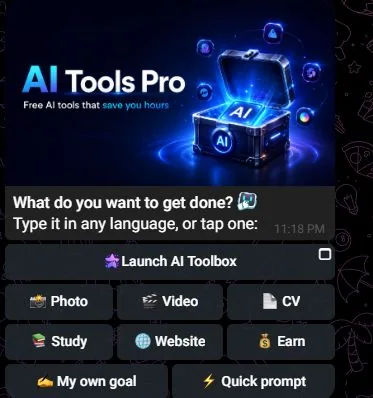
Start with a task button in the bot’s current menu. For the browser search example below, use the public directory:
2. Search by task
Keep the search short, then use your full requirement to judge the results. For example:
- Background removal: do you need a transparent image for personal use, or a larger commercial export?
- Text to speech: do you need a particular language, a downloadable audio file and permission to publish it?
- Study notes: do you need a summary, or answers supported by your document?
These are ways to describe a task, not confirmed freeform commands or guaranteed search results in our bot. The walkthrough below uses the public directory’s background-removal search.
Enter background removal and choose Find tools. On the results page, you can narrow the category or change the sort order with Apply.
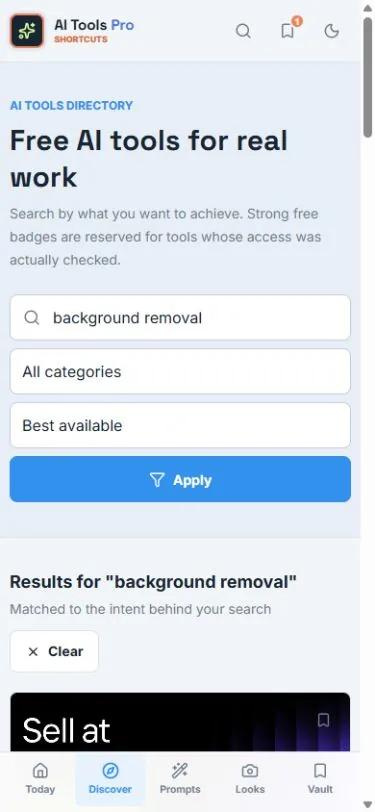
For the example we checked, the results included remove.bg. Choose View remove.bg to inspect its page.
3. Read the tool page before opening it
Check what the tool does, the access information and any limits. On the checked page, Visit remove.bg opens the provider’s own website. Searching the directory does not remove a background by itself.
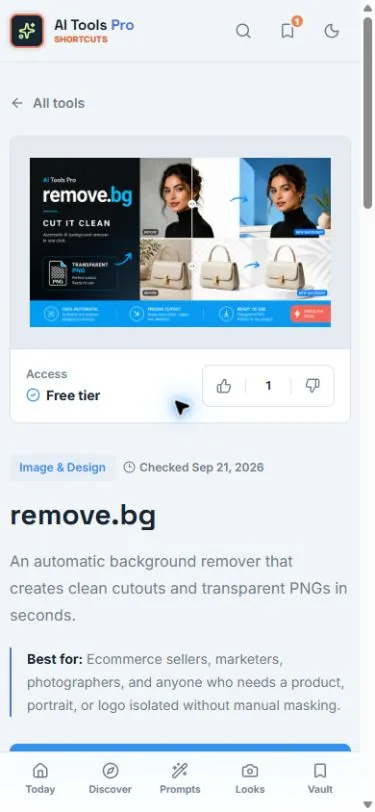
We checked this public search-to-provider journey. We did not upload an image or test the provider’s output. Check its current download size and pricing before using it for your project.
Does remove.bg fit a free-only task?
The free website preview is limited to 0.25 megapixels and personal use.
- 500 × 500 pixels: 0.25 megapixels, within that size limit.
- 1200 × 1200 pixels: 1.44 megapixels, above that limit.
A larger image or commercial use needs a separate plan check. Confirm the export size and permitted use before editing a batch.
4. Keep only what helps you finish
Choose a small example you can judge: does the background come out cleanly around the hair or product edge? If you need a different task, change the search to that task instead of collecting more tools.
Want a tool that runs inside Telegram? Use the AI bot guide. For ongoing discoveries, AI Toolbox is our companion channel.