
Chat for a quick request
Telegram’s bot introduction explains the special accounts operated by developers. You send a message or choose a button; the service responds. Opening our Free Courses bot begins at that chat interface.
A visual catalog for browsing
Telegram’s Mini App documentation describes web interfaces inside Telegram. Our course service also has a public web catalog with Discovery, search results and course details.
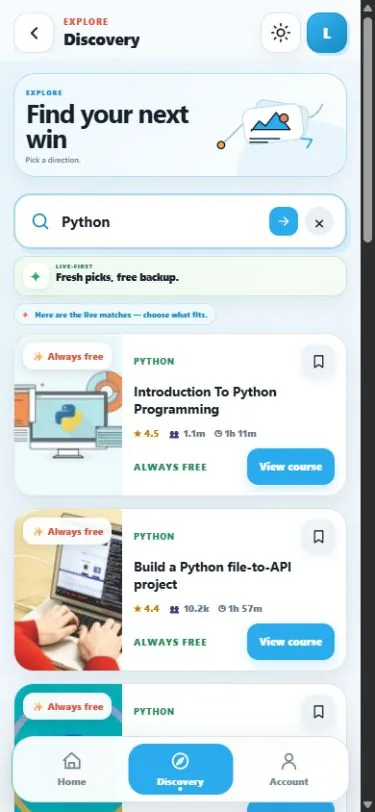
This screenshot is the public browser interface. It does not prove that Telegram account linking or every launch button works in a particular client.
Choose by what you need to do
A chat is convenient for a single request. A catalog helps you compare several items before opening one. Neither presentation establishes better course quality or free enrollment.
Follow the course browsing example →
A channel is where you read posts
Our course channel publishes offers. The bot and catalog are where you interact with them. Keep those roles clear when deciding which link to open.